Work 01 Experience 02 Capabilities 03 Education 04 About 05 Contact 06
Back to the studio

Eight projects, written up properly.

Not a gallery of screenshots. For each one: the problem that made it worth building, what I actually built, and what I took away from it. Nimbus first — it is the biggest thing I have made.

Filter 8 shown
Flagship 01 — Desktop AI systems

Nimbus

A voice-activated Windows overlay. Press a key, ask a question, get an answer out loud — and it can run the whole loop on your own machine.

The problem

Voice assistants make you choose between capable and private. I wanted one that appears on a keypress, answers, and disappears, without my voice leaving the machine.

What I built

  • An Electron + React overlay that lives in the system tray and opens on a global hotkey.
  • Whisper transcribes, Gemini classifies the intent, the right service answers, and it speaks back.
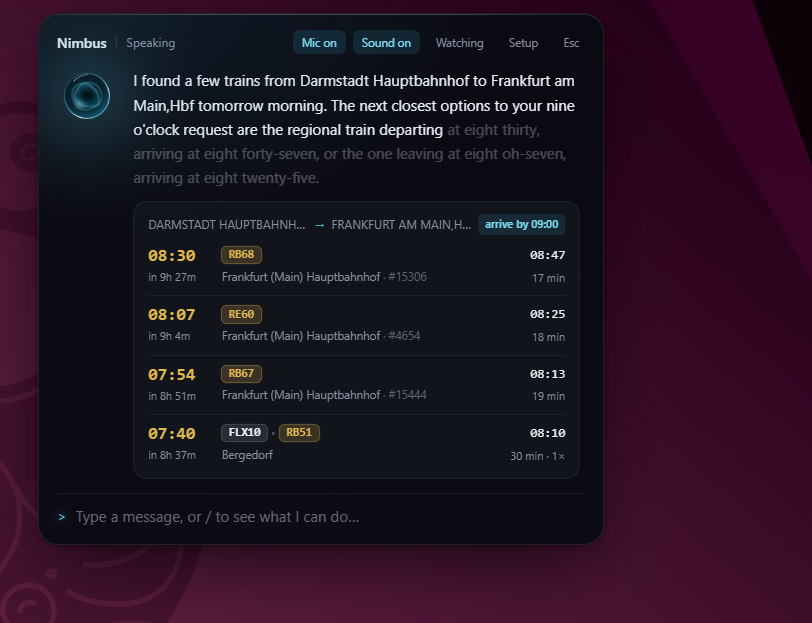
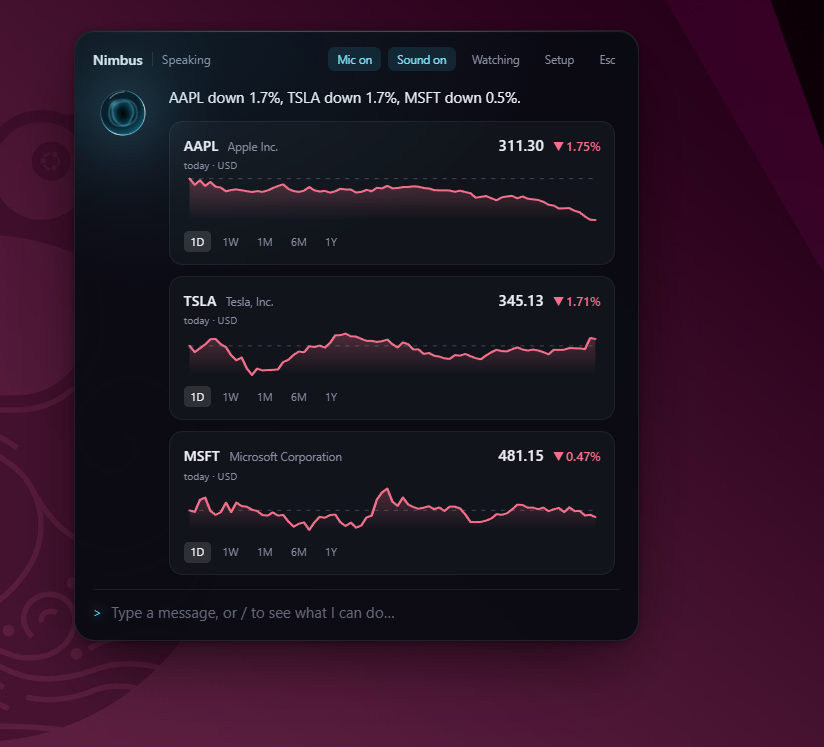
  • Rich cards rendered inline: weather, stocks, crypto, news, live departures, maps.
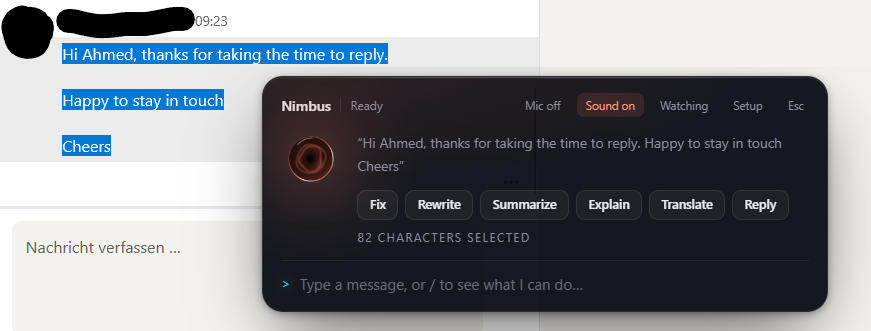
  • Screen capture and text actions that work on anything selected anywhere in Windows.
  • Whisper, Qwen and Kokoro run locally on WebGPU — no cloud required.

What I took from it

The models were the easy part; the hard parts were at the seams. Local inference turned out to be good enough that privacy costs you nothing.

Stack

Electron React TypeScript Tailwind v4 WebGPU Whisper Gemini Framer Motion
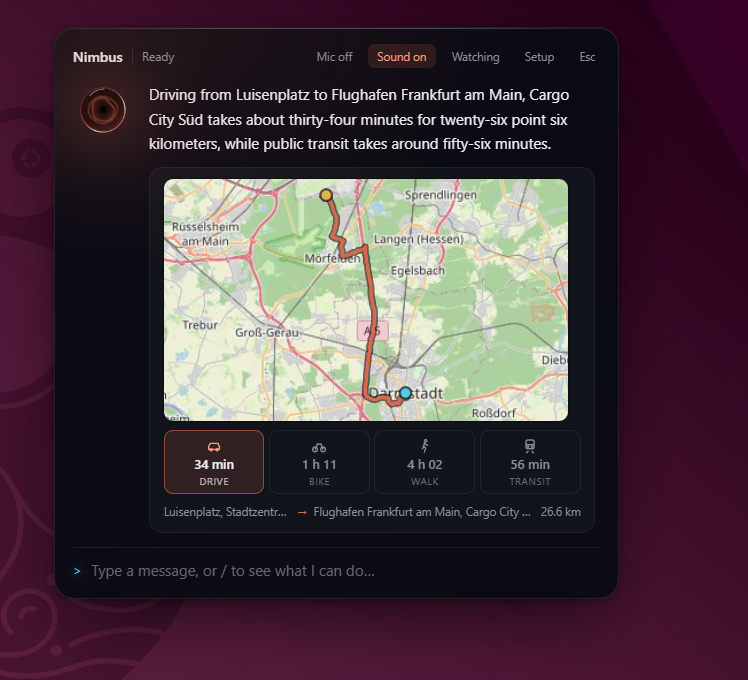
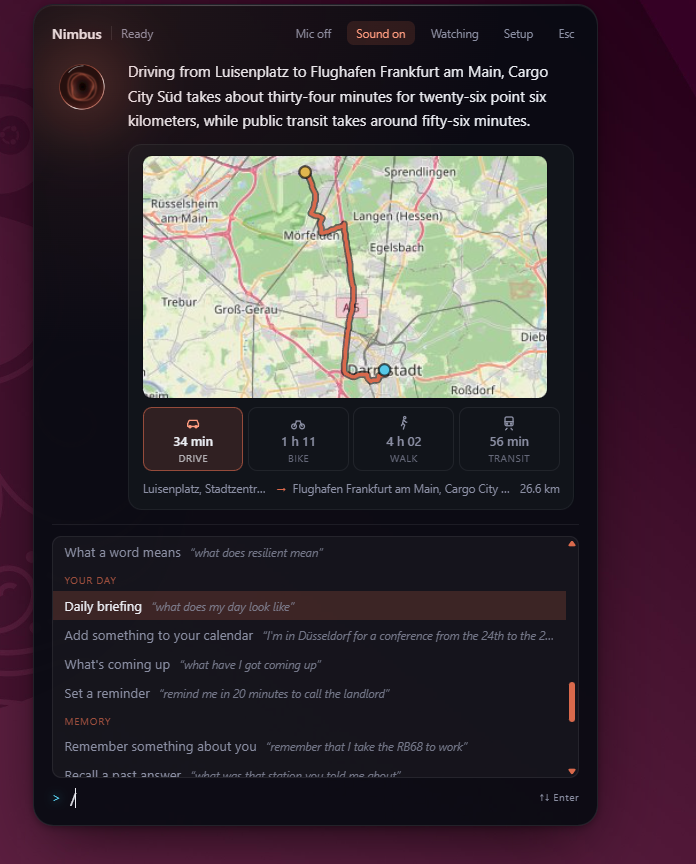
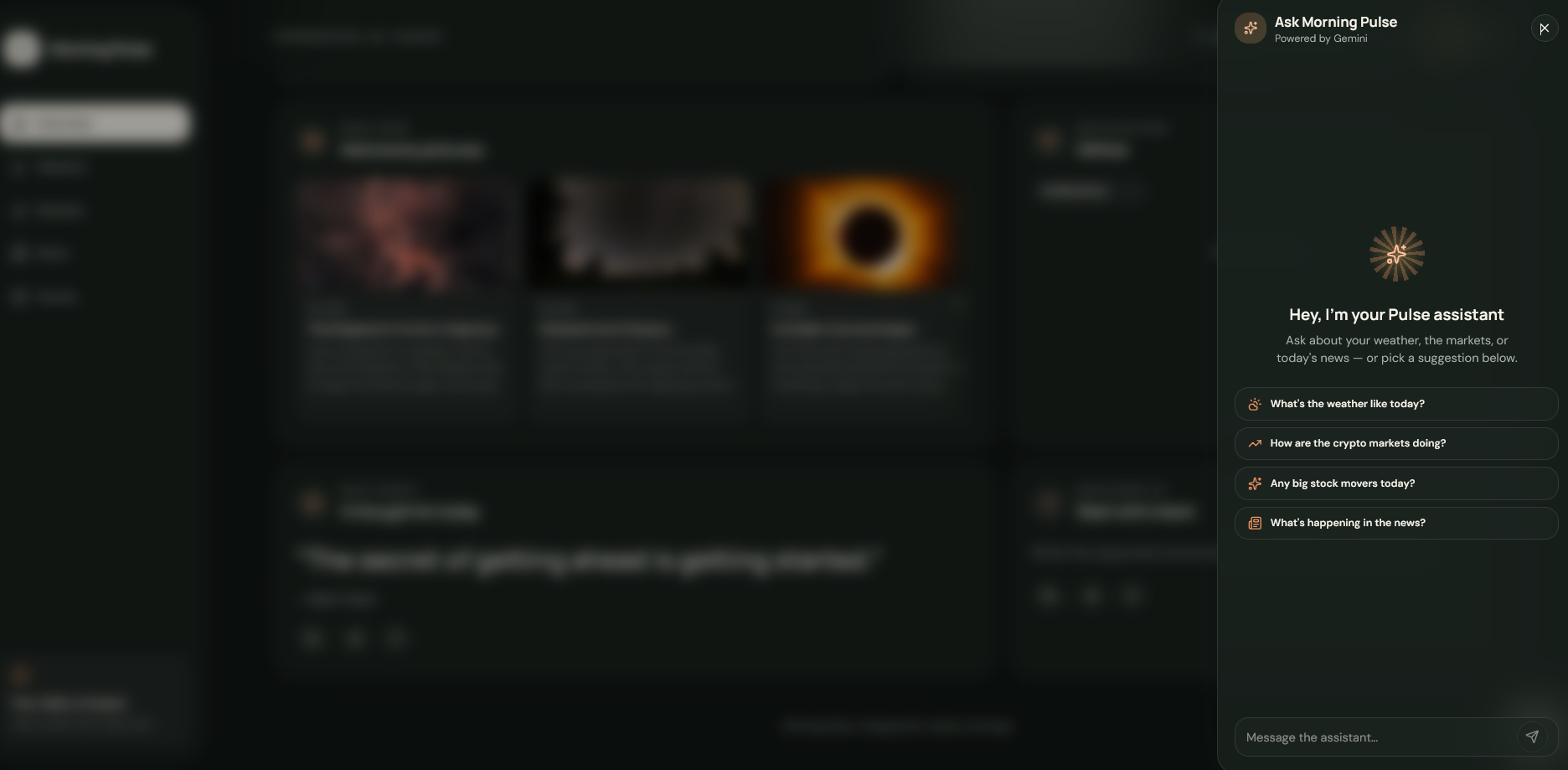
Route answer with a map and drive, bike, walk and transit times
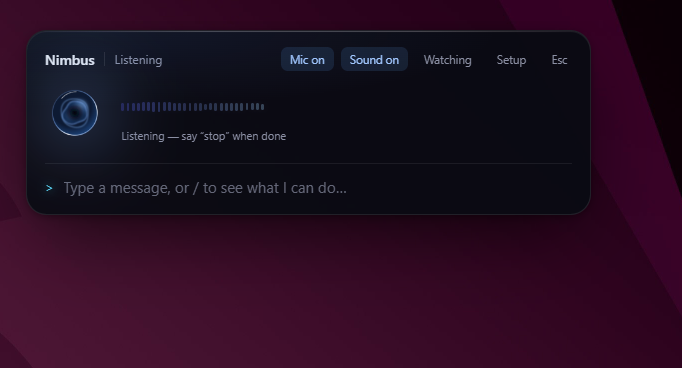
Nimbus listening, with a live waveform
Live train departure board, with the spoken answer highlighted as it is read
Stock cards with inline sparklines for AAPL, TSLA and MSFT
Text actions toolbar over selected text: Fix, Rewrite, Summarize, Explain, Translate, Reply
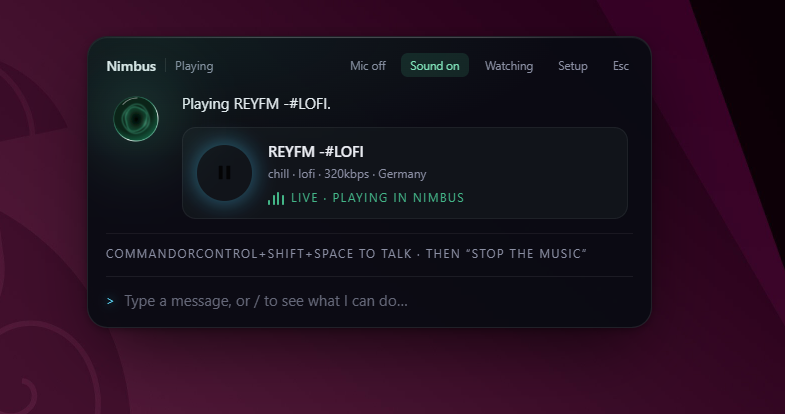
Live radio playing inside Nimbus
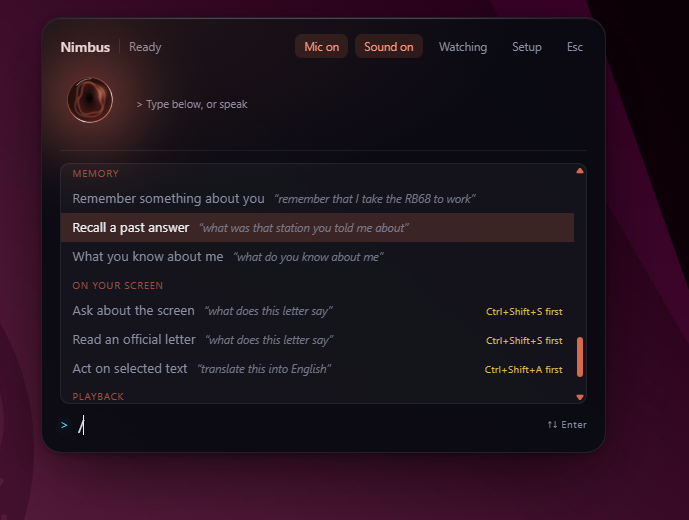
Command palette showing memory and on-screen capabilities
Slash-command surface listing daily briefing, calendar and reminder commands
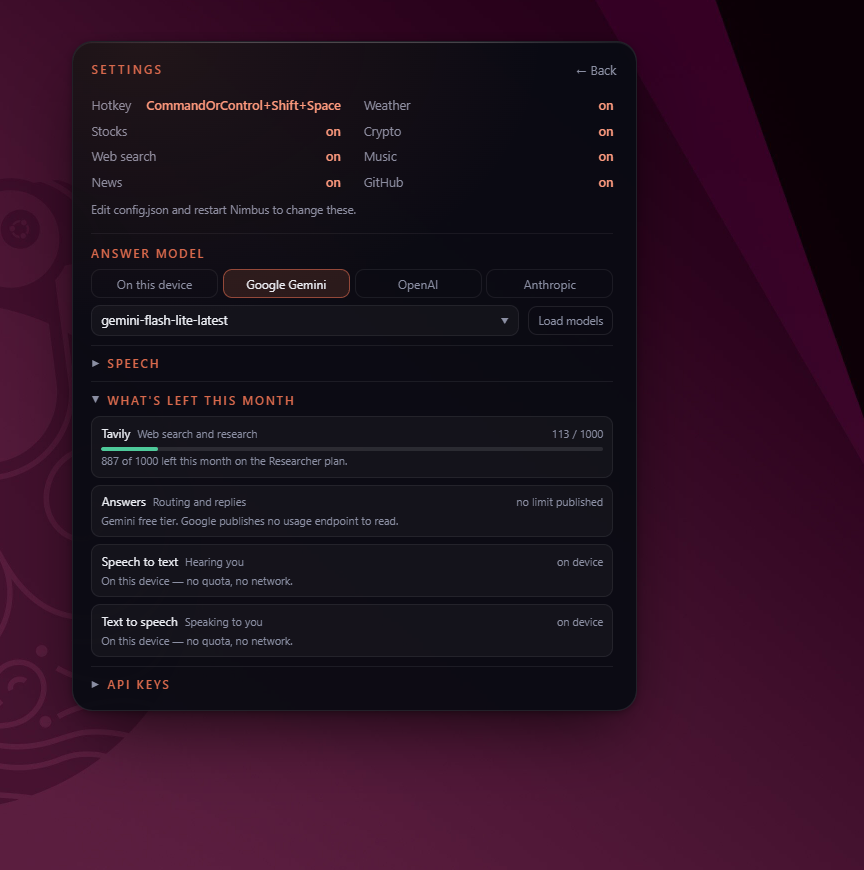
Settings: choosing between on-device and cloud answer models, with remaining quota

Click a screenshot to enlarge
02 — Full-stack · Product

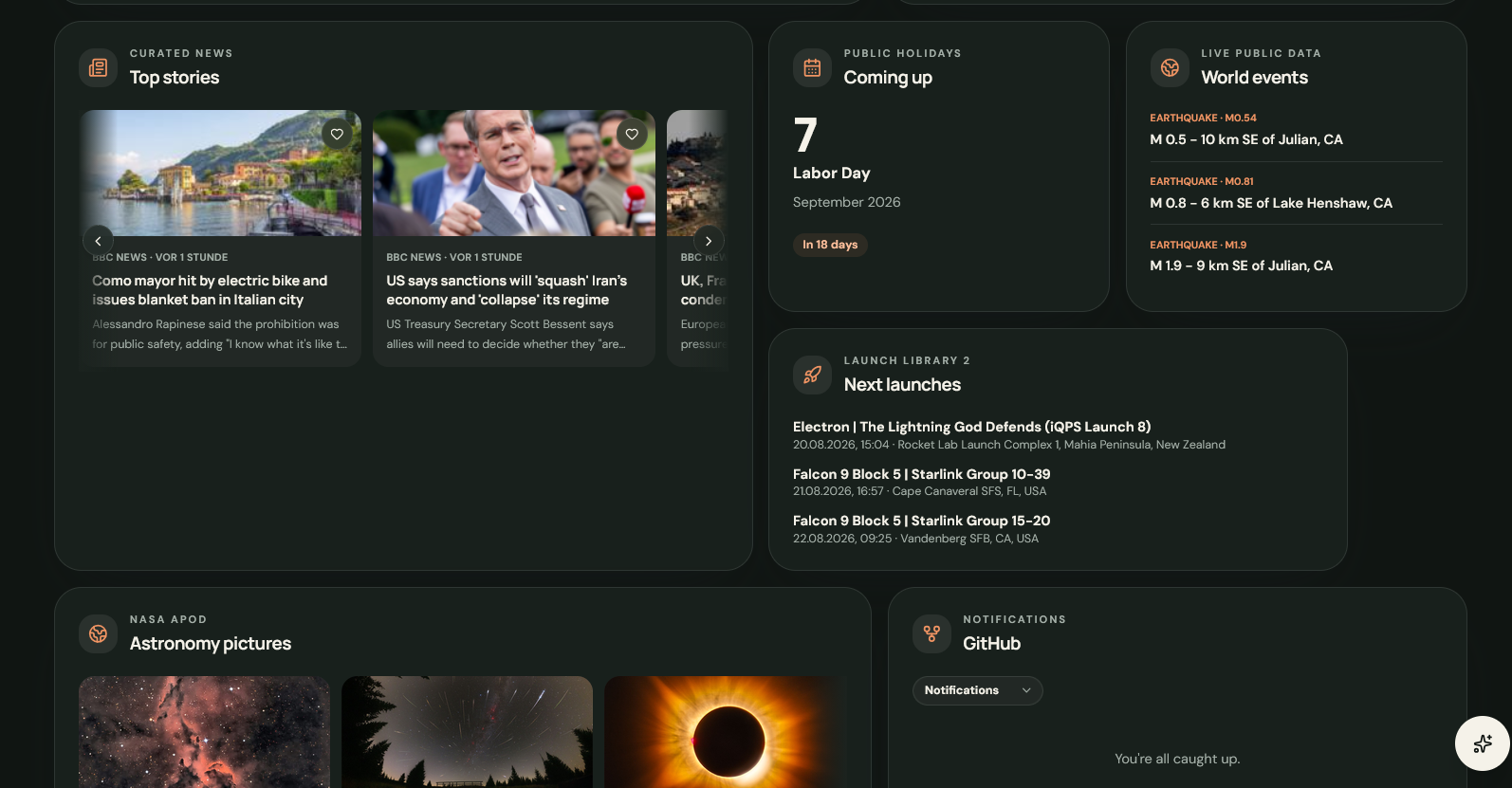
Morning Pulse

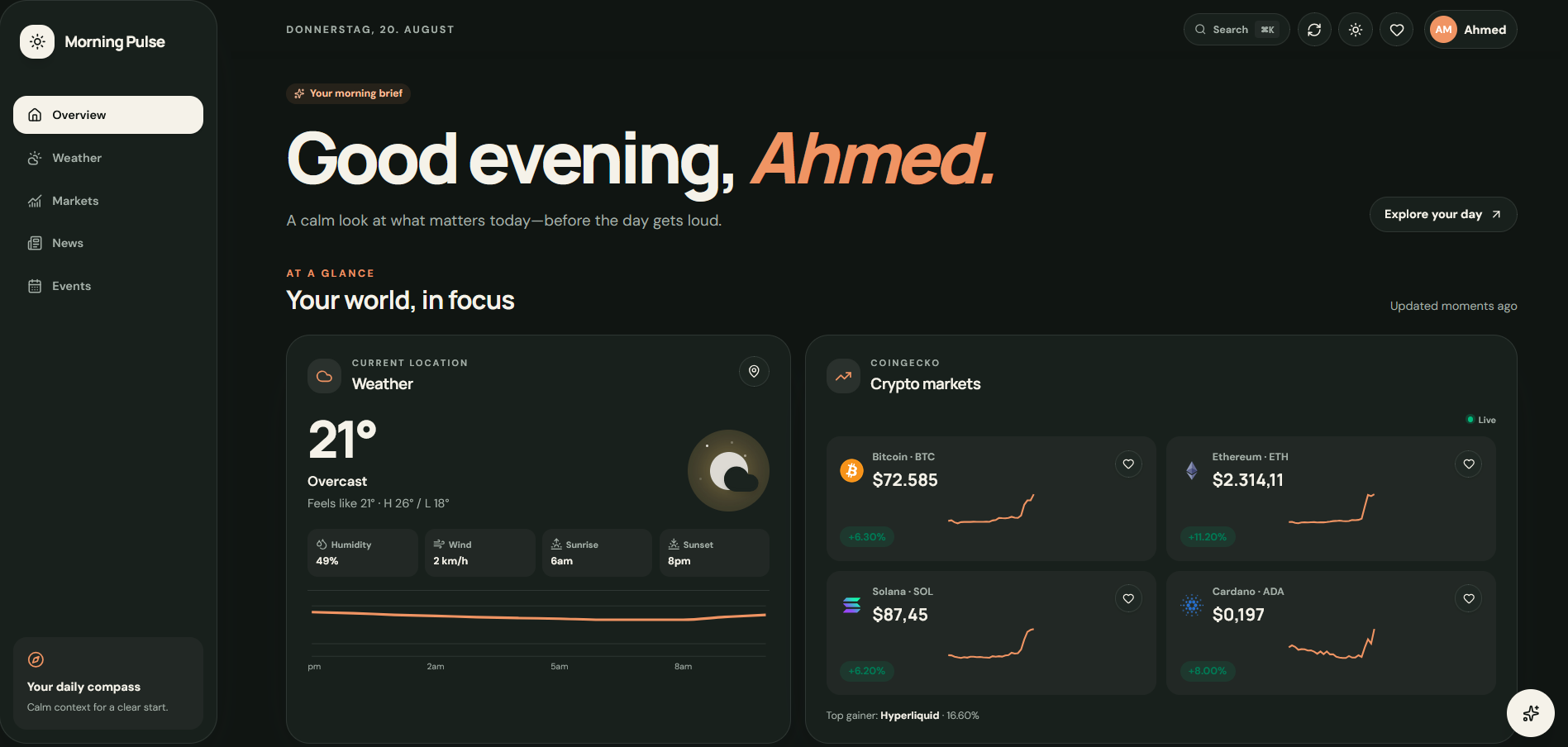
One daily briefing — weather, markets, news, events and space — normalised from a dozen APIs, and still working when the network isn't.

The problem

Starting the day meant eight open tabs, each formatting its data differently and none of them saying what had actually changed.

What I built

  • A FastAPI backend that normalises eight very different upstreams into one shape.
  • A React + TypeScript frontend with TanStack Query for server state and Zustand for preferences.
  • Data from Open-Meteo, CoinGecko, Frankfurter, Nager.Date, USGS, NASA EONET and Launch Library 2.
  • A service worker that keeps the shell and last-good data available offline.
  • Shipped as Docker Compose behind Nginx, with TLS terminated at the edge.

What I took from it

Stale-on-error caching made it reliable. Serving the last good value with an honest timestamp beats a wall of error cards.

Stack

React TypeScript FastAPI Python 3.12 TanStack Query Zustand Docker Nginx
Morning Pulse overview with weather and live crypto markets
Morning Pulse markets and news view
Morning Pulse events and space launches view

Click a screenshot to enlarge
03 — Applied ML · Full-stack

AI Career Copilot

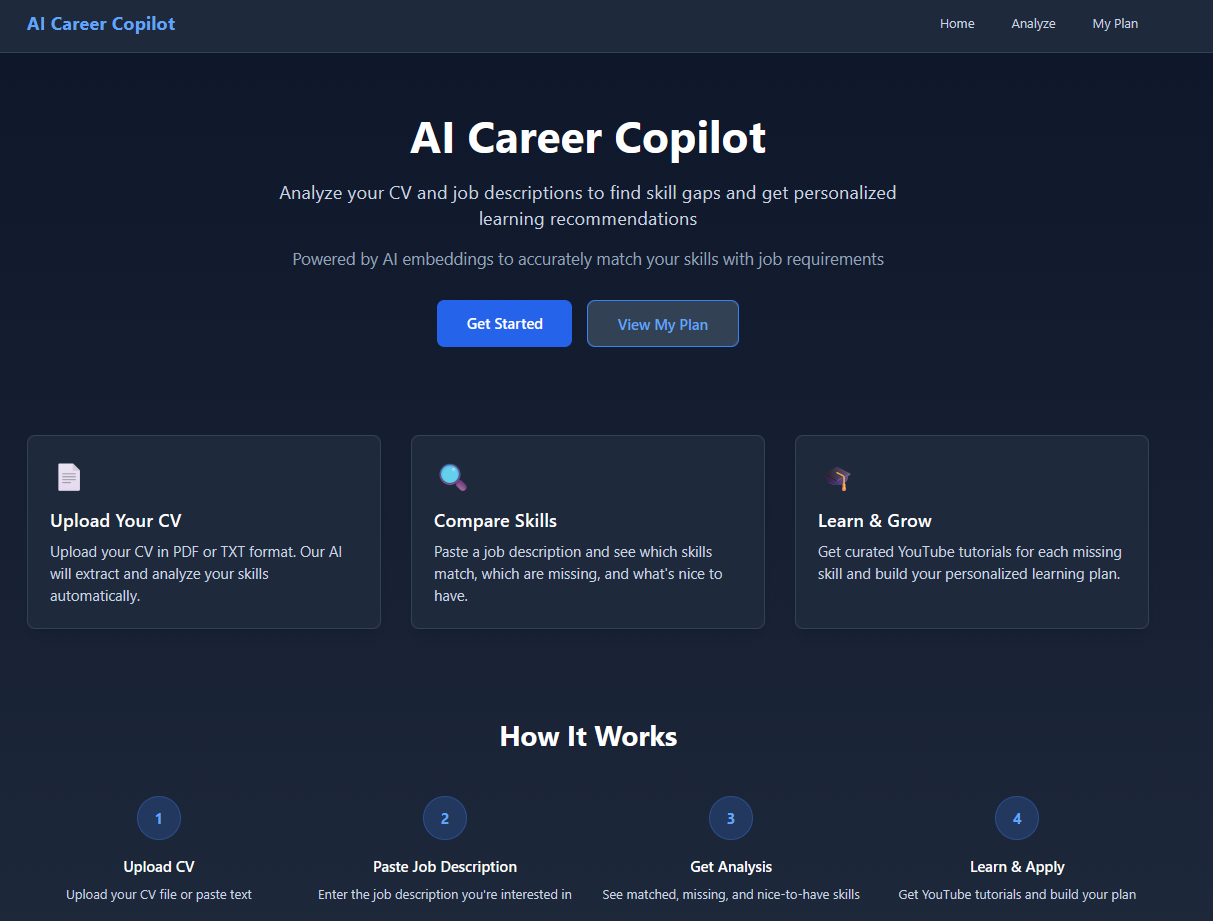
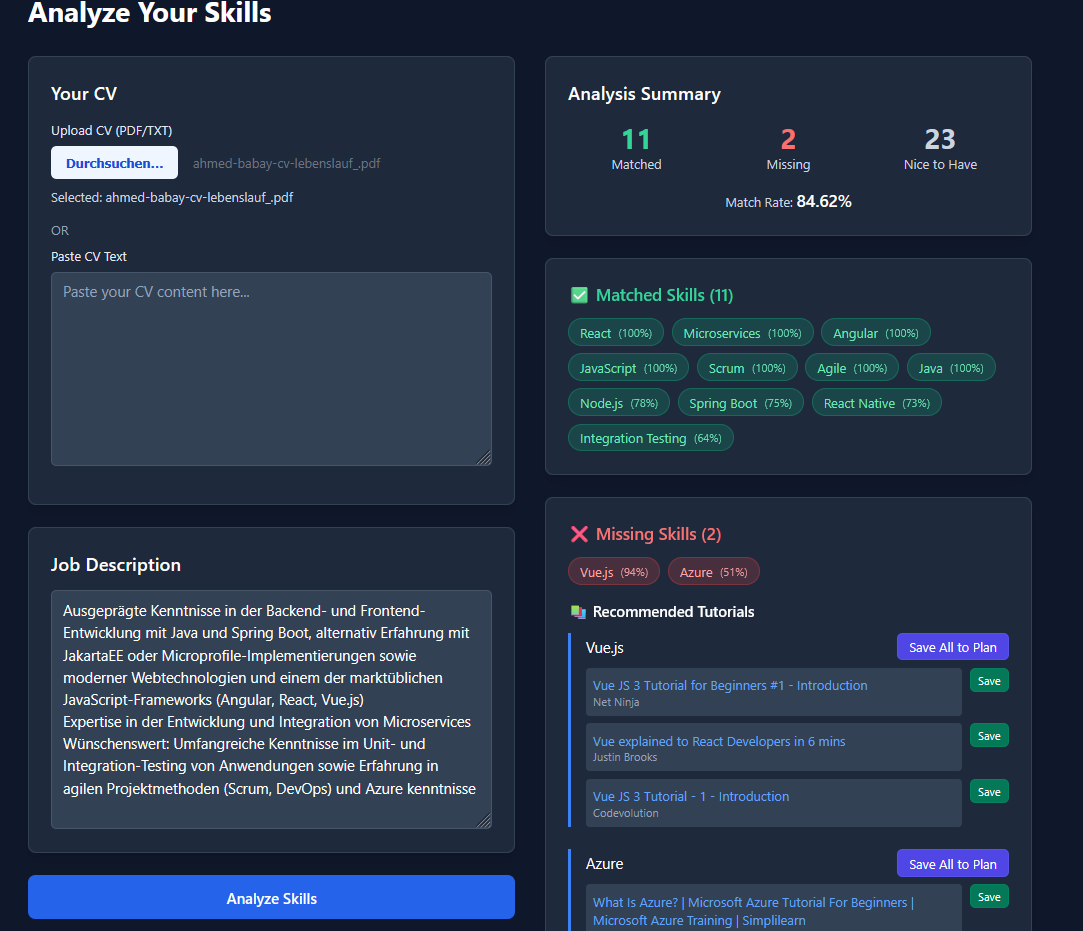
Reads a CV and a job description, names the skills that are missing, and finds something to watch for each one.

The problem

A job posting leaves you guessing which gap actually matters. Finding out usually means handing your CV to someone else's AI service.

What I built

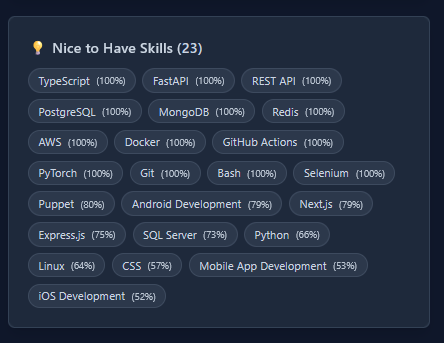
  • Extracts the skills from both documents using local transformer embeddings.
  • Sorts every skill into matched, missing, or nice-to-have — a decision, not a similarity score.
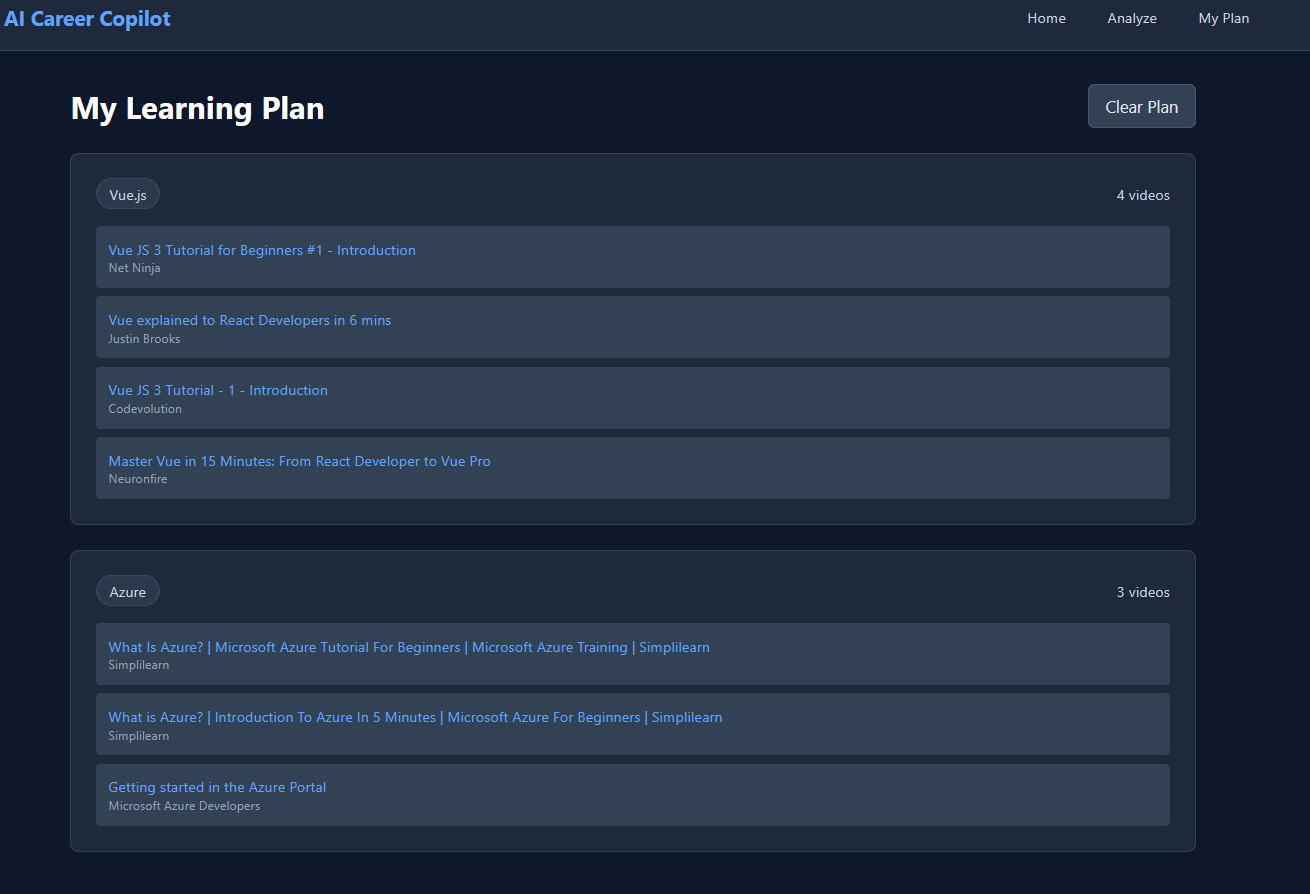
  • Pulls a YouTube tutorial for each gap into a saved learning plan.
  • Next.js frontend, Express backend, Tailwind interface.

What I took from it

Running inference on-device made it free and offline-capable, and meant the CV never leaves the machine.

Stack

Next.js Express Tailwind CSS @xenova/transformers Embeddings pdf-parse YouTube Data API
Career Copilot upload and analysis screen
Skill gap breakdown
Recommended tutorials
Saved learning plan

Click a screenshot to enlarge
04 — NLP · Human-in-the-loop

AI Dataset Generator

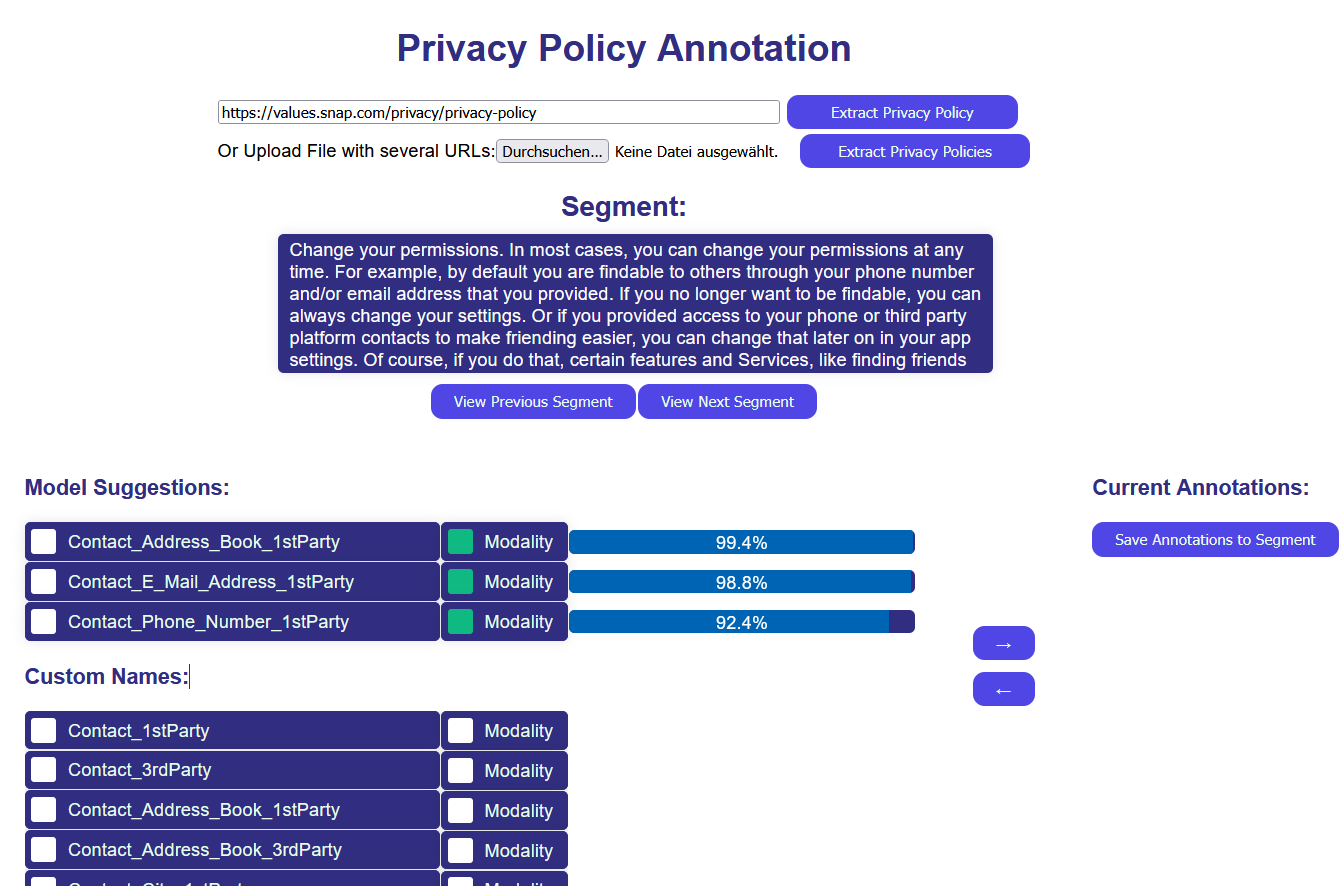
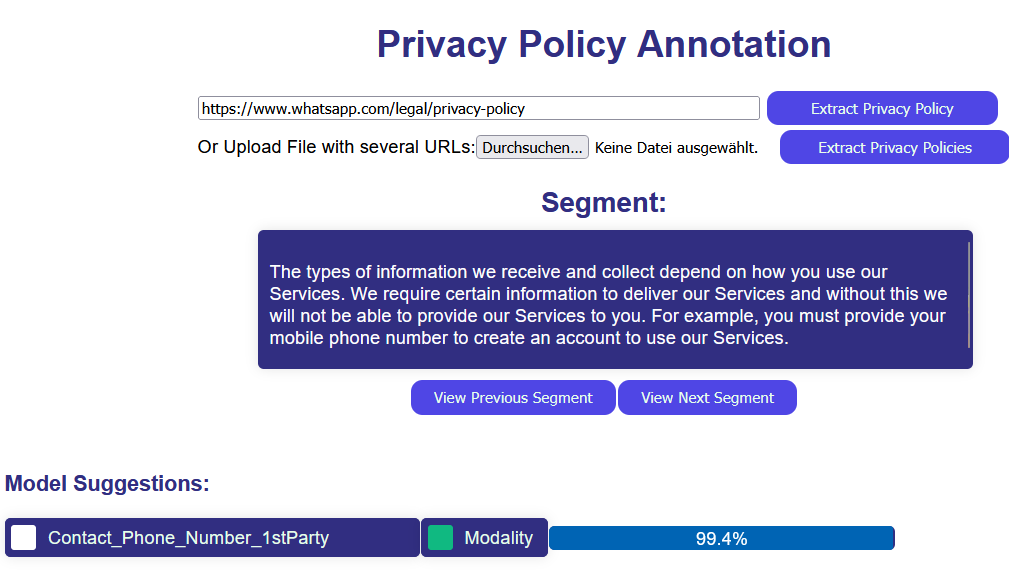
A labelling tool for privacy-policy research: a fine-tuned mBERT proposes, a human confirms.

The problem

Labelling policies by hand is slow and inconsistent between annotators. Most existing datasets are English-only, which excludes every policy that isn't.

What I built

  • Scraping and segmentation turn raw policies into clean, classifiable passages.
  • A fine-tuned multilingual BERT gives multi-label predictions with a confidence score.
  • A Vue.js workspace pre-fills the model's suggestion, so the human only confirms or corrects.
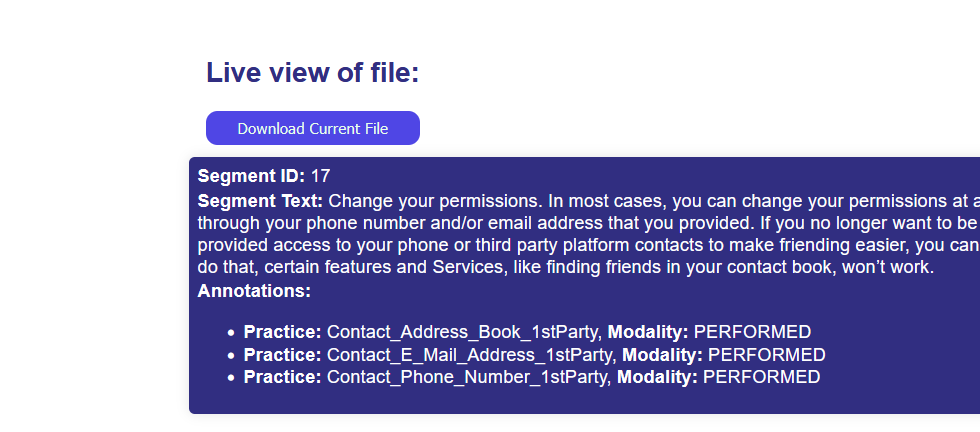
  • YAML export that drops straight into downstream research pipelines.

What I took from it

The interface was the leverage, not the model. Confirming a confident prediction is far faster than labelling from a blank slate.

Stack

Python mBERT Vue.js Express GPU fine-tuning Multi-label classification YAML
Annotation workspace with model suggestions
Policy segmentation view
Dataset export view

Click a screenshot to enlarge
05 — LLM systems · RAG

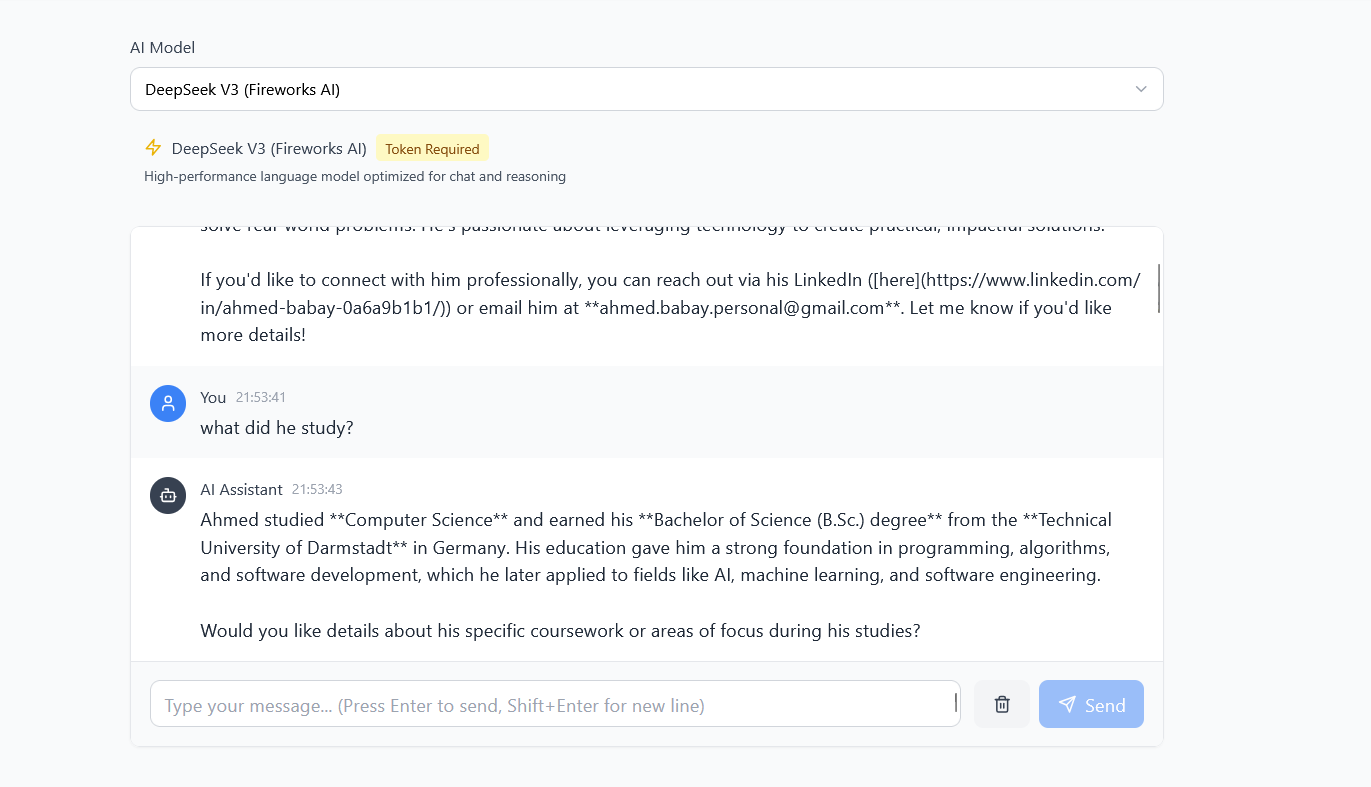
Personal AI Chatbot

A retrieval-augmented assistant that answers questions about my background from a grounded corpus rather than from memory.

The problem

A CV says what someone did, not whether they have actually shipped with Redis. A chatbot inventing details about my own career would be worse than no chatbot.

What I built

  • A RAG pipeline: a curated corpus is embedded and searched by vector similarity.
  • An open-source LLM served through Hugging Face rather than a proprietary hosted model.
  • A Node.js and Express backend hardened with Helmet and a CORS policy.
  • A React + TypeScript client with persistent history and visible error handling.

What I took from it

Grounding beats model size. Retrieval changed the failure mode from confidently wrong to honestly unsure.

Stack

TypeScript React Node.js Express Hugging Face RAG Helmet & CORS
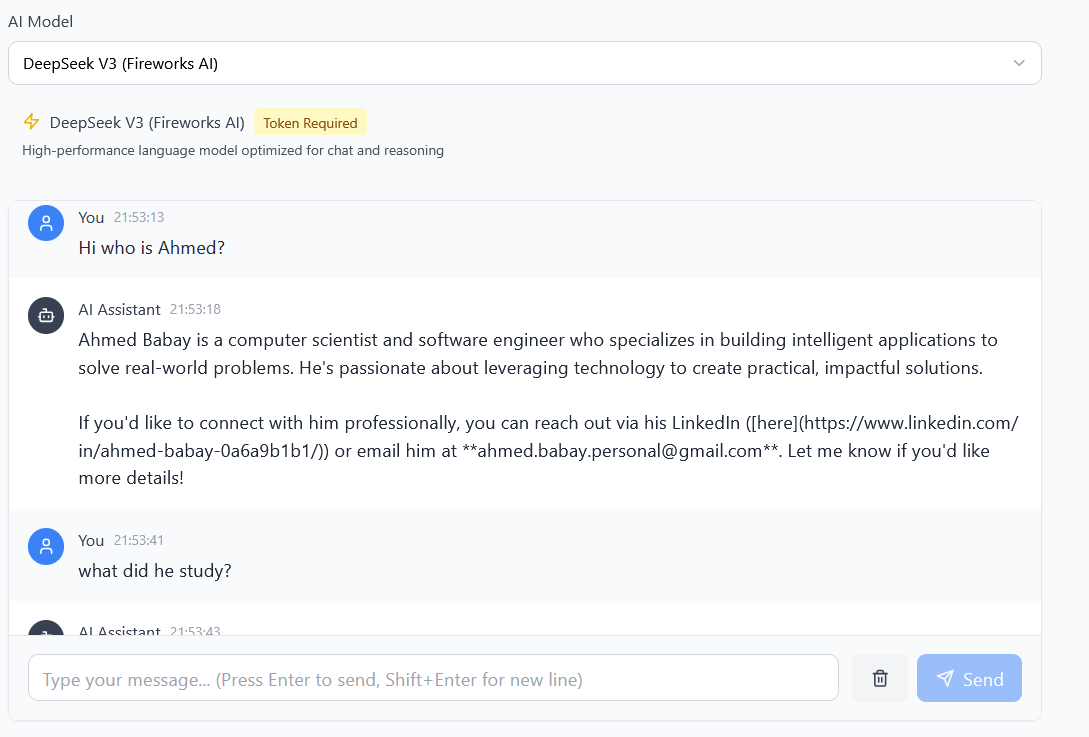
Chatbot answering a question about my background
Chat interface with message history

Click a screenshot to enlarge
06 — Research residency

Training-Free Temporal Grounding

Six months in the hessian.AI Lab Program: finding the right moment in a video without training a model to do it.

The problem

Temporal grounding normally needs densely annotated video. That is expensive to produce and transfers poorly beyond the domain it was annotated in.

What I worked on

  • Developed and evaluated training-free methods using pretrained vision-language models directly.
  • Built the evaluation setup so approaches could be compared like-for-like.
  • Supervised by Prof. Dr. Marcus Rohrbach at TU Darmstadt, as a 9-ECTS component of the programme.

What I took from it

Define the metric before you fall in love with the method, and treat a negative result as information. It also made me sceptical of benchmark numbers quoted without their protocol.

Stack

Python PyTorch Vision-Language Models Temporal grounding Evaluation design
Programme
hessian.AI Lab Program — research internship
Duration
6 months · 9 ECTS
Supervision
Prof. Dr. Marcus Rohrbach, TU Darmstadt
Area
Multimodal learning · video understanding
07 — Backend · Enterprise

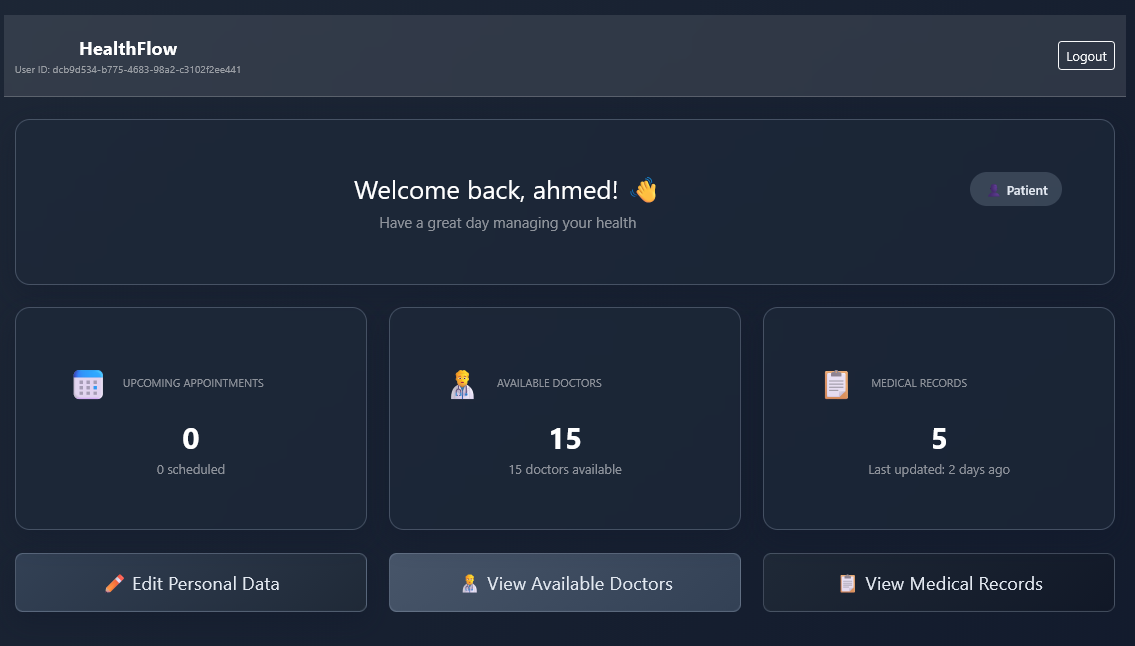
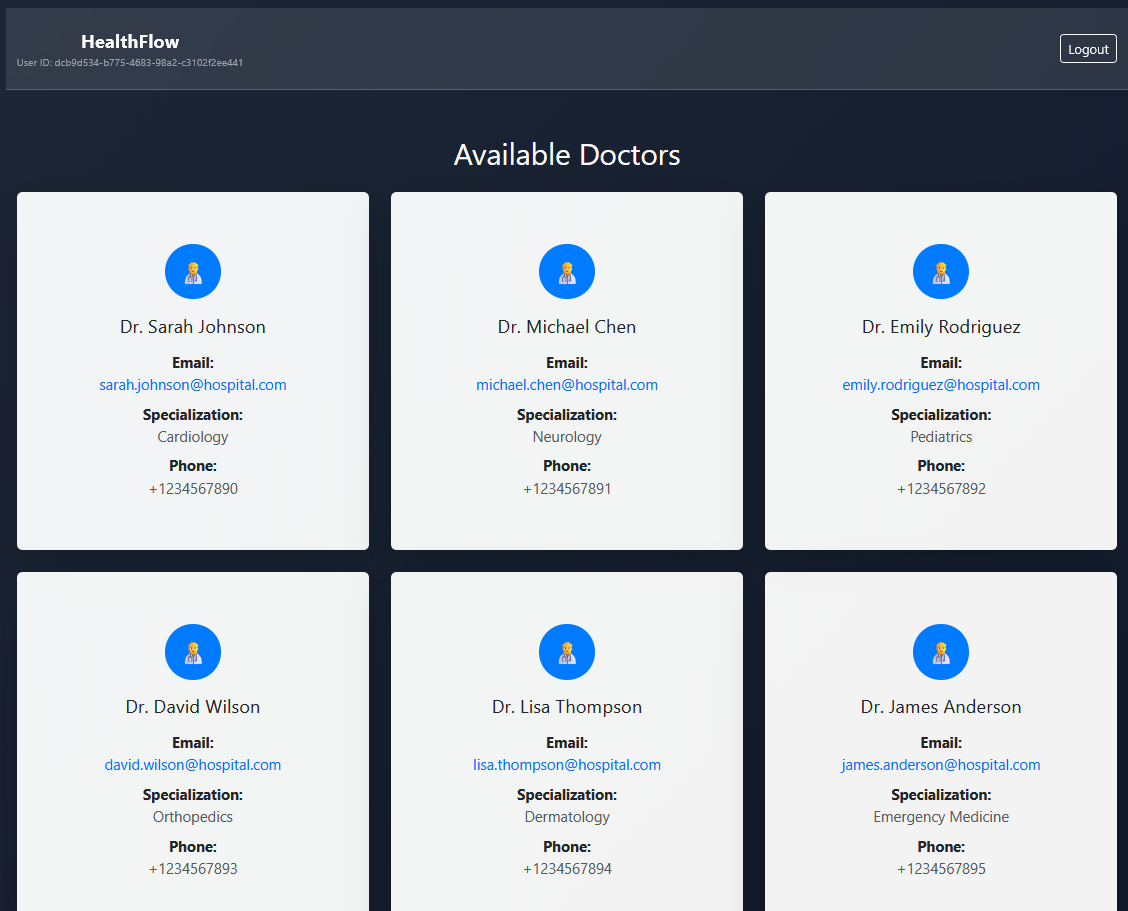
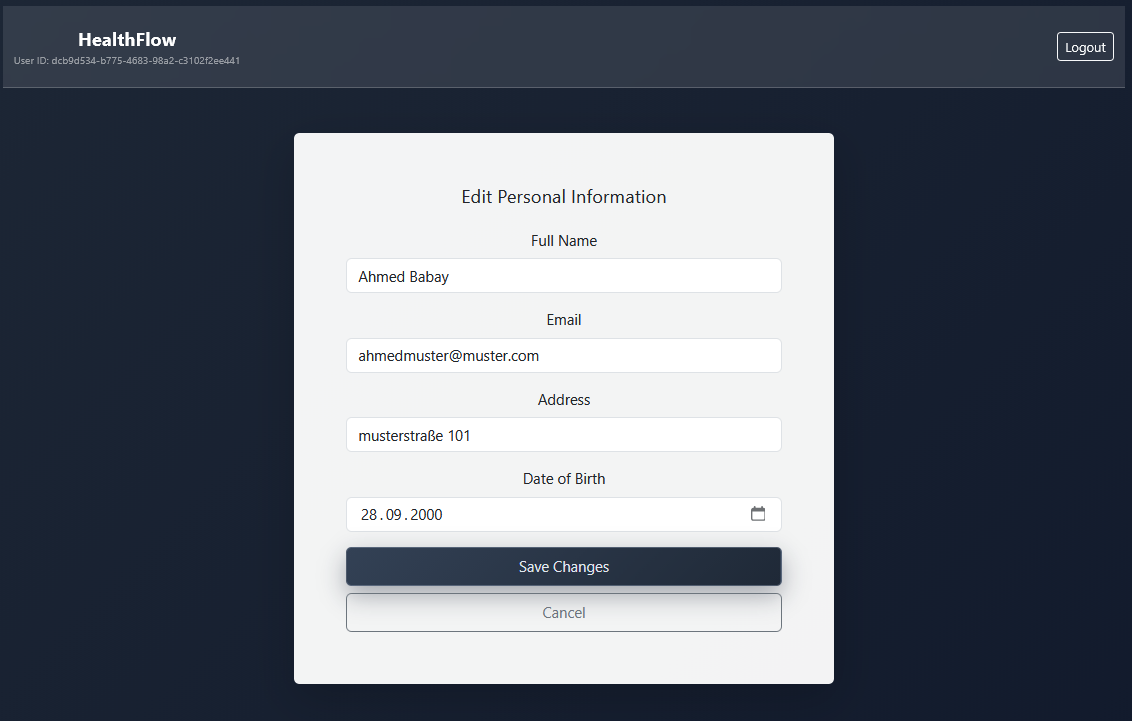
HealthFlow

A Spring Boot microservice for clinical data, built as if a real hospital were going to depend on it.

The problem

Healthcare software has high, repetitive read volume and a genuinely complicated data model. A validation bug there is a safety incident, not a bad experience.

What I built

  • A Spring Boot microservice for patient management with JWT auth and role-based access.
  • Redis caching aimed at the high-frequency read paths rather than sprinkled everywhere.
  • Custom validators encoding medical safety rules, rejecting invalid combinations at the boundary.
  • Domain modelling across records, prescriptions and allergies, backed by API tests.

What I took from it

In a safety-critical domain, validation is architecture: stated once, testable in isolation, impossible to forget at a new call site.

Stack

Java Spring Boot Redis JWT & RBAC REST APIs Custom validation
HealthFlow API overview
HealthFlow endpoint detail
HealthFlow data model
HealthFlow service architecture

Click a screenshot to enlarge
08 — Full-stack · Product

StromCoach DE

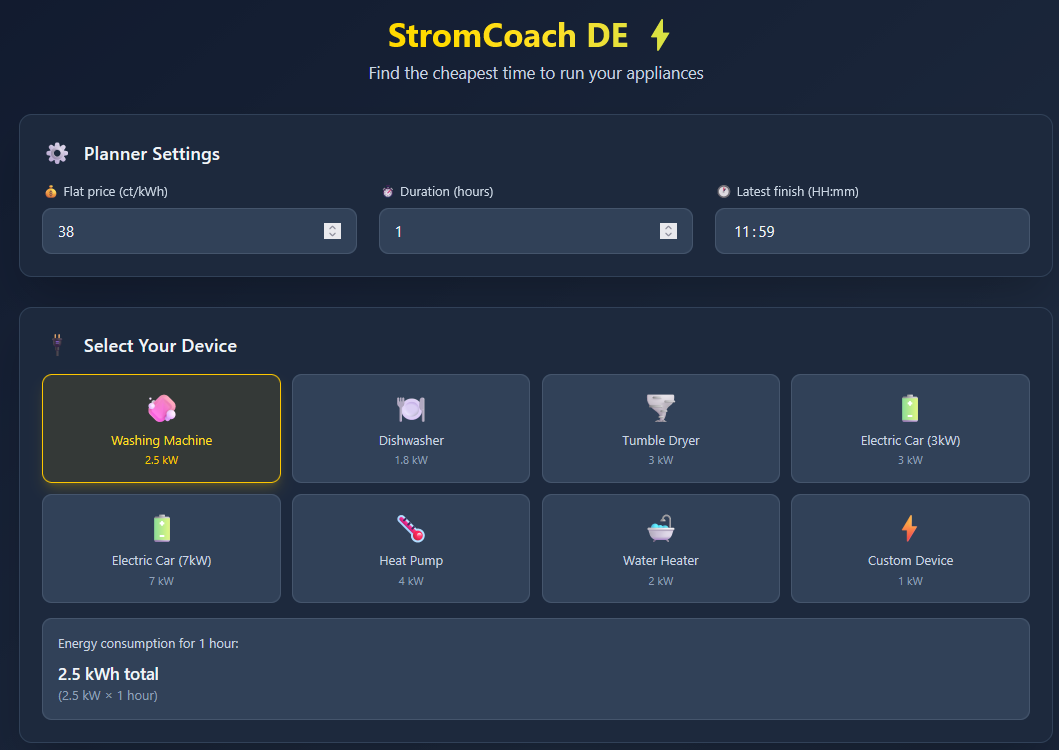
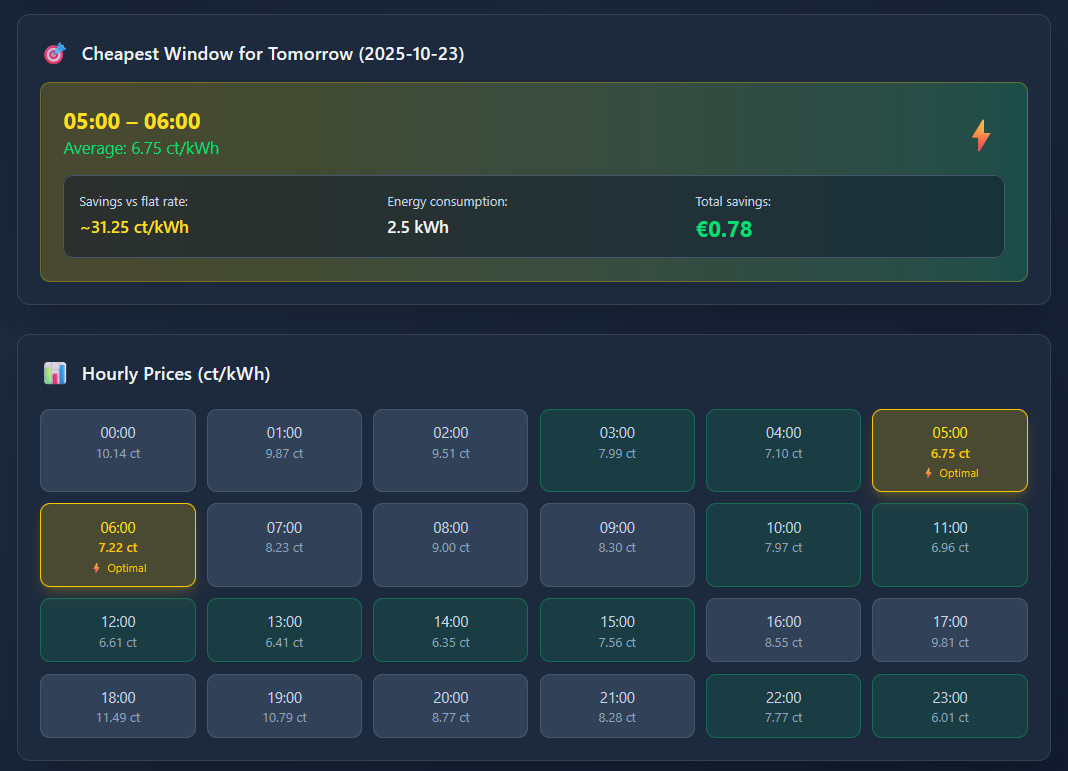
Tells German households the cheapest hour to run the dishwasher, and exactly what that decision saved them.

The problem

Dynamic German tariffs reprice every hour, so running an appliance at the wrong time quietly costs money. The data is public, but nobody wants to read a price curve to decide when to do laundry.

What I built

  • Live pricing from the Energy Charts API through a Next.js server route acting as a proxy.
  • A sliding-window search for the cheapest block long enough to finish before your deadline.
  • A savings calculator that answers in euros, not percentages.
  • Flat rate, appliance duration and deadline persisted in localStorage.

What I took from it

The algorithm was the easy half. The value appeared when the output stopped being a price curve and became “start it at 14:00, you'll save €0.62”.

Stack

Next.js React TypeScript Tailwind CSS Energy Charts API Sliding window
StromCoach cheapest-window recommendation
StromCoach price curve and savings calculator

Click a screenshot to enlarge
Seen enough?

There's more on GitHub, and I'm always happy to talk through any of these in more detail than a web page allows.